RAID Data Recovery in Chandigarh
RAID array, NAS and server data recovered by certified engineers in Chandigarh. Serving businesses across Punjab, Haryana and Himachal Pradesh.
Whether your RAID array has degraded, multiple drives have failed simultaneously, your NAS has become inaccessible, or your server has crashed — we recover your critical business data safely. Our engineers handle RAID 0, 1, 5, 6, 10 and all NAS configurations. Fast turnaround to minimise your downtime. Free evaluation. No recovery, no fee.
- No recovery = No fee — zero financial risk to you
- Free evaluation — know the cost before committing
- Express service available for urgent cases
- ★★★★★ 20+ Google reviews
Get a Free Estimation
RAID success rate
24hr
Express service
Free
₹ 0
Every type of hard drive failure — Recovered
Degraded RAID Array (One Drive Failed)
Your RAID array is running in a degraded state. One drive has failed and the system is operating on the remaining drives. In RAID 5, RAID 6 and RAID 1 this is a common situation — the array continues to function but is now vulnerable. If a second drive fails before the first is replaced and rebuilt, all data is at risk.
What we do: We image every remaining healthy drive immediately to remove them from further risk. We then reconstruct the array from the imaged drives and recover all data before any rebuild is attempted on the original hardware.
Affects: RAID 5 and RAID 6 arrays in businesses, NAS devices, home servers and small business file servers.
Multiple Drive Failure (Total Array Loss)
Two or more drives in your RAID 5 have failed simultaneously. Your RAID 0 array has had a single drive failure (RAID 0 has no redundancy — any single drive failure destroys the array). Your NAS is completely inaccessible. This is a full array failure — the system cannot reconstruct data from what remains.
What we do: We image every drive from the array separately. Using professional RAID reconstruction software, we analyse the stripe layout, block size, rotation order and parity information to manually rebuild the virtual array and extract your data. This is the most complex scenario we handle — and one we succeed at regularly.
Affects: All RAID levels — especially RAID 0 after any single drive failure and RAID 5 after any two drives fail.
NAS Device Not Accessible
Your NAS (Network Attached Storage) device is powered on but inaccessible from the network. The admin panel is unreachable. The shared drives do not appear. The NAS may be showing error lights or audible beep codes. This can be caused by file system corruption, failed RAID controller, bad blocks on one or more drives, or a failed NAS operating system.
What we do: We remove the drives from the NAS and work with them directly in our lab — bypassing the NAS controller entirely. We analyse the drive configuration, reconstruct the RAID and recover the data. We work with all major NAS brands including Synology, QNAP, WD My Cloud, Seagate NAS and Buffalo.
Affects: Synology, QNAP, WD My Cloud, Seagate NAS, Buffalo NAS and all other NAS brands.
RAID Controller Failure
Your server is powered on but the RAID array is not accessible because the RAID controller card has failed. The drives themselves may be healthy but without the controller the server cannot assemble the array or present the data.
What we do: We remove the drives from the server and reconstruct the array in software — without needing the original controller. We identify the RAID parameters (stripe size, rotation, block order) by analysing the drives directly and rebuild the logical array to recover your data.
Affects: Hardware RAID configurations in servers using dedicated RAID controller cards from Adaptec, LSI, HP Smart Array and Dell PERC.
Accidental Format or Deletion on RAID
Someone has accidentally formatted the RAID volume. Files or folders have been accidentally deleted from a shared network drive. The NAS has been factory reset without a backup. The data is still physically on the drives — but the file system no longer points to it.
What we do: We image all drives immediately, reconstruct the RAID volume and then perform logical file system recovery to retrieve your deleted or formatted files. Acting quickly is important — the more new data written to the array after the deletion, the lower the recovery rate.
Affects: All RAID levels used as file servers, NAS devices and shared network storage.
RAID Rebuild Failure or Mismanaged Rebuild
Someone has attempted a RAID rebuild and it has failed partway through. A replacement drive was inserted and the rebuild started but one of the remaining drives failed during the rebuild process. Or the rebuild completed but the volume is showing errors and files are missing.
What we do: A failed rebuild is one of the most complex recovery scenarios because the rebuild process may have partially overwritten the original parity data. We image every drive, analyse what was written during the rebuild versus what existed before, and reconstruct the pre-rebuild data set wherever possible.
Affects: All RAID 5 and RAID 6 arrays where a rebuild has been attempted and failed.
How We Recover Your RAID Array
Contact Us & Get Free Advice
Call us or WhatsApp us as soon as you realise your RAID has failed. Tell us how many drives are in the array, which RAID level you are using, what the system is showing and what has already been attempted. Our engineers will give you immediate guidance on the safest next steps — completely free.
The single most important thing: do not attempt a rebuild and do not swap drives without talking to us first. We will tell you exactly what is safe to do.
Send Your Drives & Get a Free Evaluation
Carefully remove all drives from the RAID array or NAS and bring them to our Chandigarh lab — or pack each drive individually in bubble wrap and courier them via DTDC or BlueDart. Label each drive with its slot number before removing it — this is important for reconstruction.
We receive your drives and within the same working day complete a full evaluation. This covers the condition of each drive, the RAID parameters and the estimated recovery probability. You receive a fixed-price quote before any chargeable work begins.
If the quote does not work for you, simply say no. We return your drive at no charge.
Approve Quotes & Recovery Begins
Once you approve the quote, recovery begins immediately. Every drive is imaged to our recovery servers first — no work is ever performed on your original drives. We then reconstruct the virtual RAID array using the images and perform the data recovery from the reconstructed volume.
For drives with physical damage, cleanroom work is performed on those specific drives before imaging. This prevents further damage during the imaging process.
Verify, Pay and Receive Your Data
When recovery is complete, we verify the recovered data and compile a full file list for your review before you pay a single rupee. Your recovered data is returned on new external storage — a new NAS drive set, an external hard drive or via secure encrypted download for urgent business cases.
If recovery was not possible — you pay nothing. Not even the evaluation.
What makes our RAID recovery different
RAID recovery is the most complex and high-stakes data recovery scenario. Here is why businesses across Chandigarh, Punjab, Haryana and Himachal Pradesh trust us with their critical data.
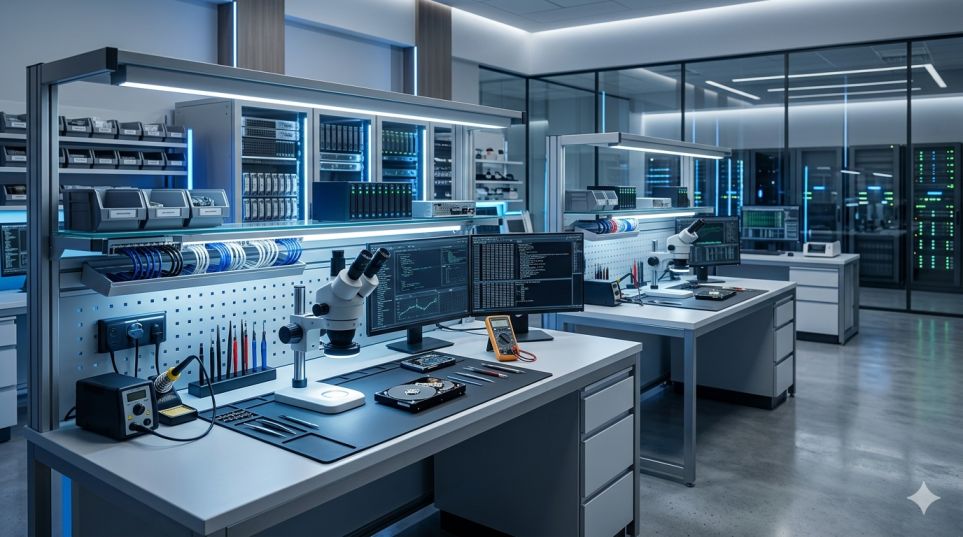
Professional-Grade Tools
RAID recovery requires software that can manually reconstruct virtual arrays — analysing stripe layouts, rotation orders and parity data without relying on a working controller. We use professional RAID reconstruction platforms alongside physical imaging tools, allowing us to handle the most complex multi-drive recovery scenarios.
Certified Engineers with 9+ years experience
Our engineers have recovered data from every major RAID level and every major NAS brand. We take on cases that other services in Chandigarh decline — including arrays where a rebuild has already been attempted and failed.
No recovery = No fee
If we cannot recover your data from your RAID array, you pay nothing — not even the evaluation fee. For businesses under pressure, this removes any financial risk from the decision to attempt recovery.
100% confidential — NDA available
Business data on RAID arrays is often sensitive — client records, financial data, legal documents, employee information. We handle all business recovery cases under strict confidentiality. NDA signed on request at no additional cost.
Transparent, fixed pricing
You receive a fixed-price quote before any chargeable work begins. The quote does not change regardless of how complex the recovery turns out to be. For businesses, predictable costs matter — and we always deliver exactly what we quoted.
Clean and Authorized Labs
Business downtime is expensive. Our express service prioritises your RAID recovery above all other cases in the lab — minimising the time your business is without its data. Ask about express availability when you contact us.
Trusted by hundreds of clients from Different Sector
Real stories from real customers across Chandigarh, Mohali, Panchkula
and other nearby cities.
EXCELLENTBased on 18 reviews
RAID data recovery — common questions
Everything you need to know before sending us your drives.
Our RAID 5 has lost two drives — is recovery still possible?
Yes in many cases. RAID 5 can only tolerate a single drive failure — losing two drives means the array is completely inaccessible. However, recovery is still possible by analysing the data patterns across the surviving drives and reconstructing the missing data mathematically. The success rate depends on whether the drives failed at different times or simultaneously. Contact us with your specific configuration and we will give you an honest assessment.
Should I attempt a RAID rebuild before contacting you?
No — this is the most dangerous thing you can do. A rebuild writes new data across all drives in the array. If a drive fails during the rebuild, the write operations from the failed rebuild can permanently overwrite your original data. Always image every drive before attempting any rebuild.
Can you recover from a NAS that has been factory reset?
In many cases yes. A factory reset clears the NAS configuration and file system metadata but does not always immediately overwrite all data on the drives. The sooner you contact us after a factory reset, the higher the chance of recovery. Do not write new data to the NAS.
How do I send multiple RAID drives to you safely?
Remove each drive from its slot carefully. Before removing, label or photograph the slot number each drive was in — this is critical for reconstruction. Pack each drive individually in bubble wrap and an anti-static bag. Ship all drives together in one box via DTDC or BlueDart with fragile handling. We contact you within 2 hours of receiving the package.
Do you serve cities outside Chandigarh?
Yes — we recover RAID arrays for businesses in Ludhiana, Amritsar, Jalandhar, Patiala, Ambala, Karnal, Shimla and all cities across Punjab, Haryana and Himachal Pradesh. Drives are sent to us by courier — we handle everything and return the recovered data via courier or encrypted download.
How long does RAID recovery take?
Recovery time depends on the total storage capacity of the array, the number of drives and the type of failure. Standard recovery for a 4-drive RAID 5 typically takes 3–7 working days. Larger enterprise arrays with physical damage on individual drives take longer. Express service is available for urgent business situations.
Other Recovery Services You Might Need
SSD recovery
NVMe, M.2, SATA SSD
RAID recovery
RAID 0, 1, 5, 6, NAS
Mobile recovery
Android, iPhone
USB & SD recovery
Pen drives, memory cards
What does RAID data recovery cost in Chandigarh?
RAID recovery is the most complex and variable data recovery scenario — pricing depends on several factors specific to your configuration. We always give you a free evaluation and a firm fixed quote before any chargeable work begins.
Number of Drives
A 2-drive RAID 1 is simpler to recover than a 6-drive RAID 6. More drives means more imaging time, more complex reconstruction and longer processing on our recovery equipment.
Physical Condition of Drives
If all drives in the array are physically healthy, recovery is purely a reconstruction process. If one or more drives have physical damage (clicking, not spinning, not detected), those drives require individual physical recovery before reconstruction can begin — adding time and cost.
Total Storage Capacity
Larger arrays take longer to image and reconstruct. A 4TB RAID 5 array (using 3 × 2TB drives) takes significantly less time than a 48TB NAS array.
RAID Level Complexity
RAID 0 reconstruction (no parity, pure striping) is the quickest. RAID 5 and RAID 6 with parity require complex mathematical reconstruction. RAID 10 requires mirrored and striped reconstruction. Enterprise configurations add further complexity.
Get your free quote — no pressure, no obligation
Speak to one of our engineers about your RAID configuration and we will give you a realistic price range before you send anything. Drop off or courier your drives for a free evaluation and a firm written quote.
- Free evaluation: Complete diagnosis and written quote at no cost
- Honest assessment: We tell you if recovery is unlikely before you spend anything
- No recovery, no fee: If we cannot recover your data, you pay nothing not even the evaluation
Visit our Office or send your drive by courier
Monday – Saturday
Has your RAID array failed or your NAS become inaccessible?
Business data loss is a crisis. Get a free diagnosis right now — we respond in 30 minutes and can advise you immediately on the safest next steps.
✓ No recovery = No fee · ✓ Free evaluation · ✓ NDA available · ✓ Express service available