SSD Data Recovery in Chandigarh
Failed, corrupted or not-recognised SSDs recovered in Chandigarh. Serving Mohali, Panchkula and all of Punjab, Haryana and Himachal Pradesh.
Whether your SSD has suddenly stopped working, is showing errors, is not recognised by your computer, or has suffered firmware corruption — we recover your data safely. Our certified engineers work on all SSD types including NVMe, M.2 and SATA drives. Free evaluation. No recovery, no fee.
- No recovery = No fee — zero financial risk to you
- Free evaluation — know the cost before committing
- Express service available for urgent cases
- ★★★★★ 20+ Google reviews
Get a Free Estimation
SSD success rate
24hr
Express service
Free
₹ 0
Every type of SSD failure — Recovered
SSD Not Recognised by Computer
Your SSD powers on but your computer does not detect it. It does not appear in BIOS, Disk Management or Windows Explorer. This is one of the most common SSD failures and is usually caused by a controller chip failure, corrupted firmware or a damaged PCB interface..
What we do: We use specialised SSD recovery tools to communicate directly with the NAND flash chips, bypassing the failed controller entirely. This chip-off recovery method allows us to read the raw data from the memory cells even when the controller is completely non-functional.
Affects: All SSD types — especially budget SSDs from lesser-known brands and older SATA SSDs that have reached end-of-life.
Physical Damage (Broken Connector, Dropped Device)
Your laptop was dropped and the SSD inside was physically damaged. The M.2 connector is broken, the SSD PCB is cracked, or the drive was exposed to liquid. Physical damage to an SSD does not automatically mean data loss — in many cases the NAND chips themselves remain intact and readable.
What we do: We assess the physical damage and, where possible, repair or bypass the damaged components. For drives where the NAND chips are intact, we perform chip-off recovery — reading the raw data directly from the memory chips and reconstructing the file system.
Affects: Laptop M.2 NVMe drives, portable external SSDs and USB-connected SSDs.
Extremely Slow SSD or Freezing System
The drive receives power but does not spin up. You may hear a faint beep, a buzzing sound, or nothing at all. This is usually caused by a seized spindle motor, stiction (heads stuck to the platters), PCB failure or an electrical short.
What we do: We perform immediate hardware-based sector imaging to capture all readable data before further degradation occurs. We then work from the image, protecting your original SSD throughout the entire recovery process.
Affects: Older SSDs over 4–5 years of use, especially those that have been subjected to heavy write cycles.
Accidental Deletion or Format on SSD
You deleted important files. You formatted the wrong SSD. You reinstalled your operating system without backing up first. On an SSD, this situation is time-critical because the TRIM command actively erases data in the background after deletion.
What we do: The moment you realise the deletion has happened — power off the SSD immediately. Do not write anything new to it. Contact us right away. If TRIM has not yet run on the deleted sectors, we can recover your files using professional imaging tools. Speed is critical for SSD logical recovery.
Affects: All SSDs — particularly those in Windows 10 and Windows 11 systems where TRIM runs automatically.
SSD Firmware Corruption
Your SSD powers on and is detected but is completely inaccessible. It may ask to be formatted, show as 0 bytes capacity, or appear as a different size than it actually is. This is a firmware failure — the drive's internal operating software has become corrupted and the SSD can no longer map your data correctly.
What we do: We access the SSD's service area directly using professional firmware repair tools. We rebuild the firmware translation tables and restore the drive's ability to read the NAND cells correctly — recovering your data without touching the user data zone.
Affects: Samsung, WD and Kingston SSDs are particularly susceptible to firmware-related failures.
SSD Showing Wrong Capacity or Asking to Format
Your SSD appears in Windows but shows 0 bytes free, reports the wrong capacity, or immediately asks you to format it before you can access anything. This is almost always a partition table or file system issue — your data is still on the drive but the map that points to it has been corrupted.
What we do: We create a complete image of the SSD first, then use professional partition reconstruction tools to rebuild the file system. This is a logical recovery that does not require cleanroom work and typically has a very high success rate.
Affects: External drives after drops, desktop drives after power surges, laptop drives after liquid damage.
How We Recover Your SSD
Contact Us & Get Free Advice
Call us, WhatsApp us or fill out our diagnosis form — whichever is easiest for you. Tell us what is happening with your SSD: when it stopped working, what your computer shows, whether you have tried anything already. Our engineers will listen carefully and give you immediate, honest advice — completely free.
We will tell you whether your situation is urgent, what the likely cause is and whether you need to send the SSD to us or whether a remote session may work. You do not need to send us anything yet. Just talk to us first.
Send Your SSD & Get a Free Evaluation
Once you are ready, remove the SSD from your device and bring it to our Chandigarh lab — or pack it carefully in an anti-static bag and courier it via DTDC or BlueDart. We will send you packing instructions if needed.
We receive your SSD and within the same working day, our engineers complete a full diagnostic evaluation. This covers the controller condition, firmware state, NAND health and the type of failure. You receive a clear written quote with a fixed price — before any chargeable work begins.
If the quote does not work for you, simply say no. We return your SSD at no charge.
Approve Quote & Recovery Begins
Once you approve the quote, recovery starts immediately. For firmware failures and logical issues, recovery is performed in our lab using professional SSD recovery platforms. For physical damage requiring chip-off work, recovery is performed in our controlled lab environment using chip reading equipment.
In all cases, we work from a complete image of your SSD — your original device is never put at further risk during the recovery process.
Verify, Pay and Receive Your Data
When recovery is complete, we verify every recovered file and compile a complete file list for your review — before you pay a single rupee. Only when you are satisfied with what has been recovered do we proceed with payment and delivery.
Your recovered data is returned on a brand-new external hard drive with your original folder structure fully preserved. Secure encrypted download is also available for urgent cases.
If recovery was not possible — you pay nothing. Not even the evaluation.
What makes our SSD recovery different
Anyone can claim they recover data. Here is why clients across Chandigarh, Punjab, Haryana and Himachal Pradesh trust us with their most important files.
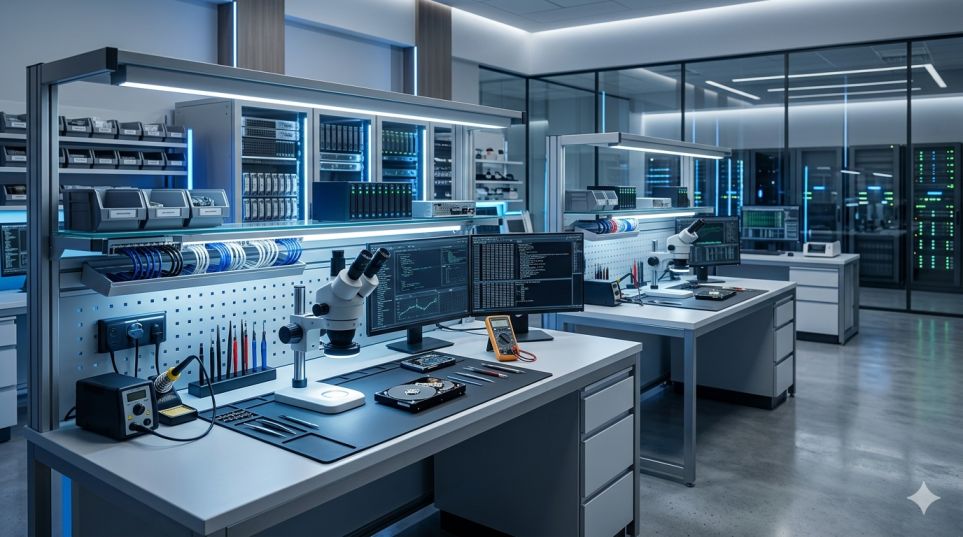
Professional-Grade Tools
SSD recovery requires far more specialised tools than hard drive recovery. We use dedicated SSD recovery platforms that work directly at the NAND flash level, bypassing failed controllers to access your data. These are not consumer software products — they are the same tools used by professional data recovery labs worldwide.
Certified Engineers with 9+ years experience
Every engineer is trained specifically in flash memory recovery including NAND chip reading, firmware repair and logical reconstruction. We take on SSD cases that other services in Chandigarh decline — including drives with failed controllers, corrupted firmware and physically damaged PCBs.
No recovery = No fee
This is not a marketing line. If we cannot recover your data from your SSD, you pay nothing — not even the evaluation fee. We take on the financial risk so you do not have to. This policy applies to every case we accept, without exception.
100% confidential — NDA available
Your data never leaves our secure lab environment during recovery. All staff operate under strict confidentiality agreements. For business clients handling sensitive documents, financial data or client information, we sign a formal NDA on request at no additional cost.
Transparent, fixed pricing
You receive a fixed-price quote before any chargeable work begins. The quote does not change. There are no hidden charges and no pressure to agree immediately. Take your time.
Clean and Authorized Labs
SSD chip-off recovery must be performed in a controlled environment. Our lab meets professional standards for static-free, contamination-controlled work — the same environment used in NAND chip manufacturing and testing facilities.
Trusted by hundreds of clients from Different Sector
Real stories from real customers across Chandigarh, Mohali, Panchkula
and other nearby cities.
EXCELLENTBased on 18 reviews
SSD data recovery — common questions
Everything you need to know before sending us your SSD.
Can data be recovered from a completely dead SSD?
In many cases yes. When an SSD fails completely, the NAND flash chips themselves often remain intact even when the controller, PCB or firmware has failed entirely. We can perform chip-off recovery reading the raw data directly from the memory chips to retrieve your files even when the SSD shows no signs of life.
Is SSD data recovery different from hard drive recovery?
Yes — significantly. SSDs have no moving parts and use flash memory chips instead of magnetic platters. The failure modes, tools and recovery methods are completely different. SSD recovery requires specialised platforms that work at the NAND level and firmware engineers who understand flash translation layers. Not all data recovery labs can handle SSDs — we can.
Why should I not run recovery software on a failed SSD?
SSDs use TRIM technology, which automatically erases data from deleted sectors to maintain performance. Every time recovery software scans a failed SSD, it may trigger write operations that accelerate data loss. It also causes further controller stress on an already failing drive. Contact us first, we will tell you whether software is appropriate for your specific case.
My SSD is not detected at all — is recovery still possible?
Yes in most cases. An SSD that is completely invisible to the system usually has a controller failure or firmware issue. If the NAND chips are physically intact — which they usually are — we can bypass the failed controller and read the data directly from the chips. Detection failure does not mean the data is gone.
How long does SSD recovery take?
Logical recovery (deletion, format, partition loss) typically takes 1–2 working days. Firmware-level recovery takes 2–4 working days. Physical chip-off recovery typically takes 4–7 working days depending on the drive’s capacity and the complexity of the NAND reconstruction. Express 24-hour service is available for urgent cases.
What types of SSDs do you recover?
We recover all SSD types — SATA SSDs, M.2 SATA, M.2 NVMe, PCIe SSDs, and external USB-connected SSDs. We work on all major brands including Samsung, WD, Kingston, Crucial, Seagate, Sabrent, SK Hynix, Corsair and Intel.
Do you serve cities outside Chandigarh?
Yes — we regularly recover SSDs for clients from Ludhiana, Amritsar, Jalandhar, Patiala, Ambala, Karnal, Shimla, Solan and all cities across Punjab, Haryana and Himachal Pradesh. Most out-of-city clients courier their SSD to us — we handle everything and ship the recovered data back.
Other Recovery Services You Might Need
Hard Drive recovery
NVMe, M.2, SATA SSD
RAID recovery
RAID 0, 1, 5, 6, NAS
Mobile recovery
Android, iPhone
USB & SD recovery
Pen drives, memory cards
What does SSD data recovery cost in Chandigarh?
No two SSD failures are identical — and that is why we never publish a single fixed price. What we do instead is give you a free evaluation, a written report and a firm fixed quote before you spend a single rupee.
Type of Failure
Logical failures (deletion, format, partition loss) cost less to recover.
Drive Capacity
Recovery requires reading every sector of the SSD - not just the sectors containing your files.
Drive Brand
Mainstream consumer SSDs (Samsung, WD, Kingston) are more commonly serviced and recovery is more straightforward.
Service Speed
Standard service is the most affordable. Express 24-hour service is available for an additional charge when your situation cannot wait.
Get your free quote — no pressure, no obligation
Speak to one of our engineers about your SSD and we will give you a realistic price range before you send anything. Then drop off or courier your SSD for a free evaluation and a firm written quote. You only proceed if the quote works for you.
- Free evaluation: Complete diagnosis and written quote at no cost
- Honest assessment: We tell you if recovery is unlikely before you spend anything
- No recovery, no fee: If we cannot recover your data, you pay nothing not even the evaluation
Visit our Office or send your SSD by courier
Monday – Saturday
Is your SSD not working or not detected?
Every moment a failing SSD is powered on risks further data loss. Get a free diagnosis right now — we respond in 30 minutes.
✓ No recovery = No fee ✓ Free evaluation ✓ 100% confidential